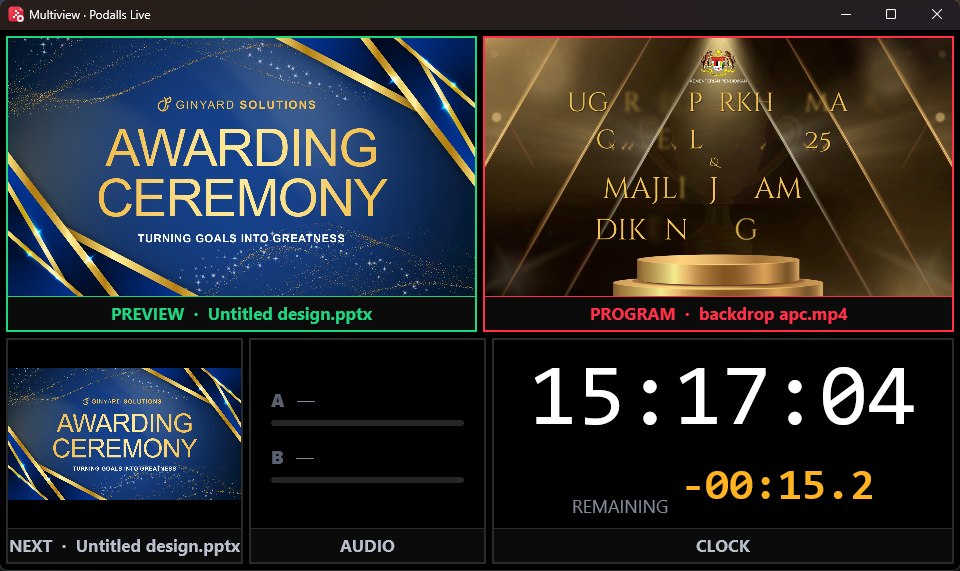
Outputs where they belong
Choose Program, Preview, Multiview or Stage for connected displays. Keep operator monitoring away from the audience feed.
Products / Broadcast
 Stay in control.
Podalls Broadcast puts playout, switching, screen outputs and sound in one Windows console. Cue the next moment in Preview; send it to Program when you are ready.
Free · Windows 10 & 11 · Installer being prepared
The console
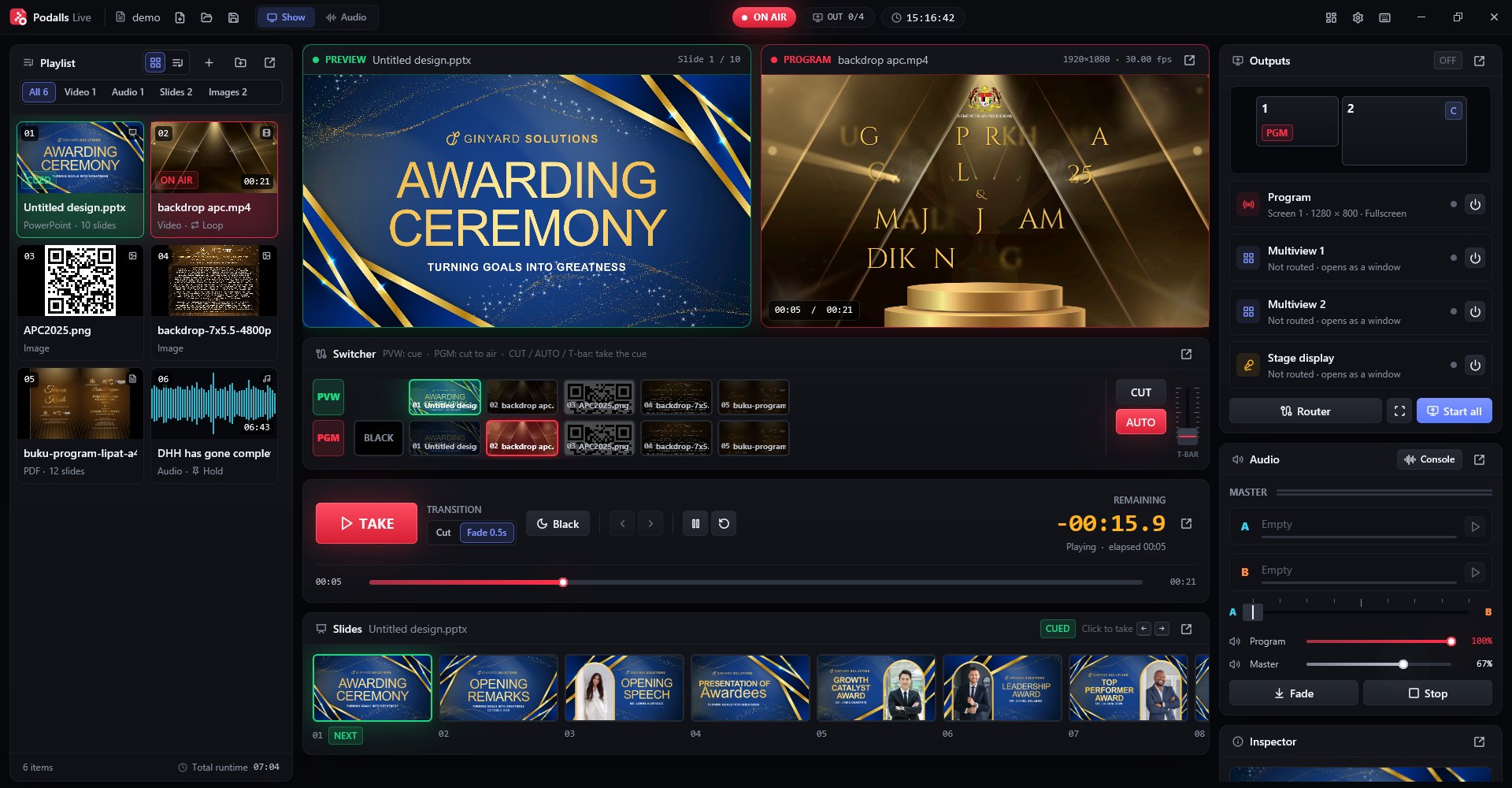
The media library, Preview, Program, switcher, screen outputs and sound all have a place. Move panels into separate windows when your desk has more screens.
The show flow
A simple sequence for a live event: prepare the media, check the next item, then take it live.
Add media to the playlist or drag it in. Use slides, images, video and audio in the same production.
Check the next slide or clip in the green monitor while the red Program monitor keeps showing the audience feed.
Press TAKE, CUT or AUTO when the room is ready. Send the result to a screen, with Multiview or Stage on other displays.

Picture and sound
Give each display a role, then shape the audio for the room, broadcast and headphones from the same show.
Choose Program, Preview, Multiview or Stage for connected displays. Keep operator monitoring away from the audience feed.
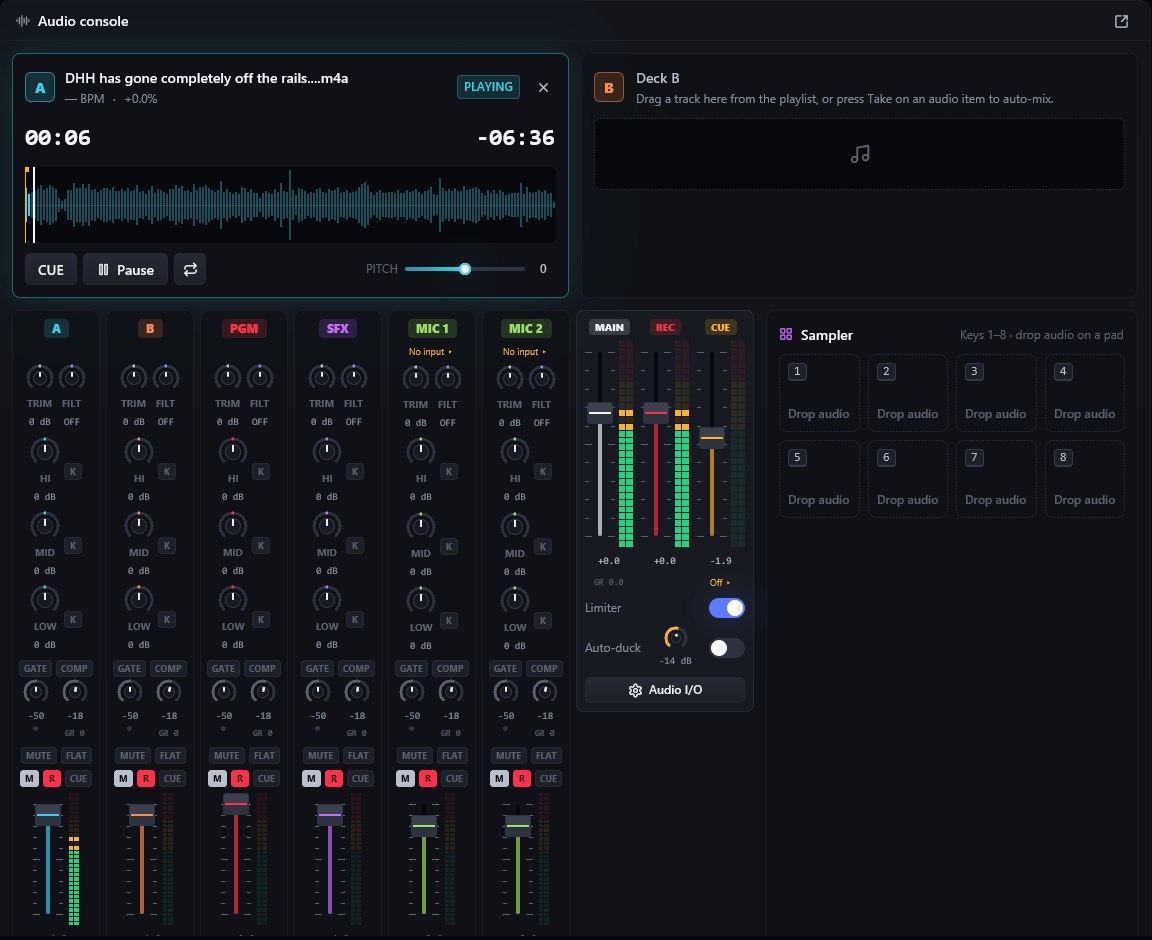
Play tracks from decks, trigger samples, bring in microphones and set separate room, broadcast and headphone buses.
Before you use it
These are the boundaries of the current build, so you can plan the rest of your setup.
Questions
4 answers
Yes. Add PowerPoint, PDF, images, video and audio to the media library, cue an item in Preview, then take it to Program. PowerPoint animations and embedded video are currently shown as still slides.
Yes. Route Program, Preview, Multiview or Stage to connected displays. The output router shows what each screen receives before you start the show.
Full-show recording and direct streaming are still in development. Instant replay uses a temporary single-camera buffer. Use another device or service when you need a recording or stream today.
NDI camera input needs the free NDI runtime. NDI currently carries picture only in Podalls Broadcast, so bring its sound in separately.
First release
The first Podalls Broadcast installer is being built. The release page will show the version, file and checksum as soon as GitHub publishes them.